Advanced Malware Detection for Security Professionals
Multi-layered static analysis combining PE inspection, YARA rules, entropy calculation, and VirusTotal integration
New Analysis Zone: Automated Rule-based Inspection & Classification Kit
Powerful Features for Comprehensive Analysis
Everything you need to detect and analyze potential threats
- •Custom YARA rule support
- •200+ suspicious API tracking
- •Entropy threshold detection
- •Weighted scoring algorithm
- •Instant file change detection
- •Automatic background scanning
- •Drag-and-drop testing
- •Minimal system impact
- •Import Address Table analysis
- •Section anomaly detection
- •Digital signature verification
- •Entry point validation
- •Executive summary dashboards
- •Expandable detailed findings
- •Export to TXT/JSON
- •Copy-to-clipboard support
- •Direct file upload (32MB max)
- •SHA256/MD5 hash lookup
- •70+ engine results
- •Threat label identification
- •Context-aware analysis
- •False positive reduction
- •Confidence indicators
- •Trusted signer exceptions
How NAZARICK Analyzes Files
A multi-stage process ensuring thorough threat detection
File Input
Upload a file manually or enable real-time folder monitoring
YARA Pattern Matching
Scan for known malware signatures using YARA rules
PE Structure Analysis
Examine executable headers, sections, imports, and signatures
Entropy Calculation
Calculate Shannon entropy to detect packing/encryption (threshold: 7.5+)
Hybrid Scoring
Combine all findings into weighted threat score (0-120)
Threat Classification
Categorize as: Clean, Low, Medium, High, or Critical
Optional VirusTotal Check
Cross-reference with 70+ antivirus engines for validation
Technical Deep Dive
Understanding the technology behind NAZARICK
rule Keylogger_Detection {
  meta:
    description = "Detects keylogger patterns"
    severity = "high"

  strings:
    $api1 = "GetAsyncKeyState" nocase
    $api2 = "SetWindowsHookExA" nocase
    $api3 = "SetWindowsHookExW" nocase

  condition:
    2 of them
}
Features
- Custom rule import support
- 200+ pre-built detection rules
- Regular expression patterns
- Hexadecimal byte matching
- Wildcard support
See NAZARICK in Action
Explore the interface and features through screenshots
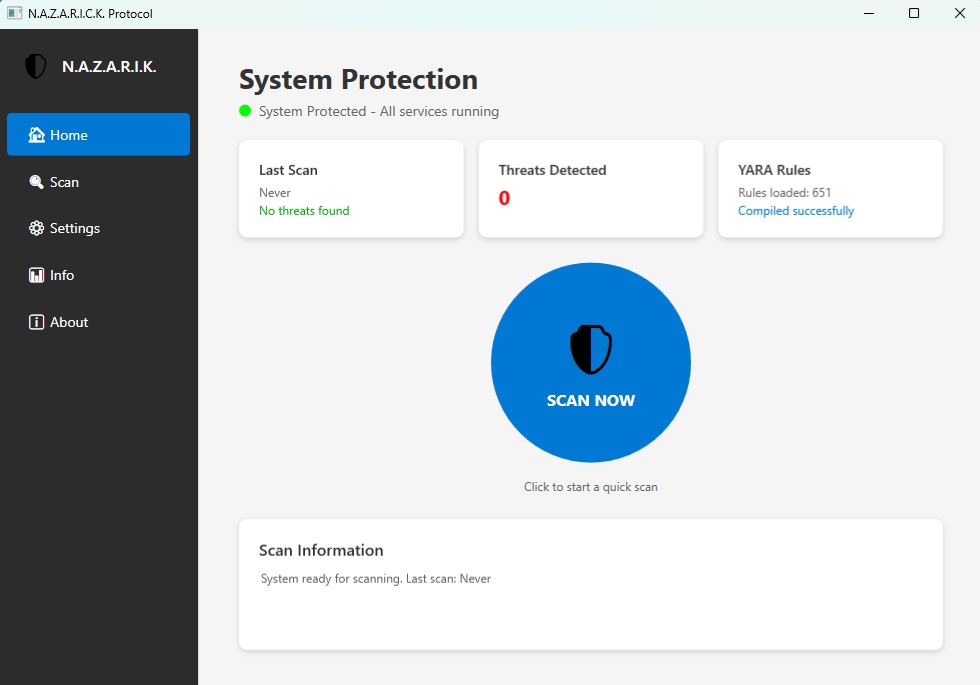
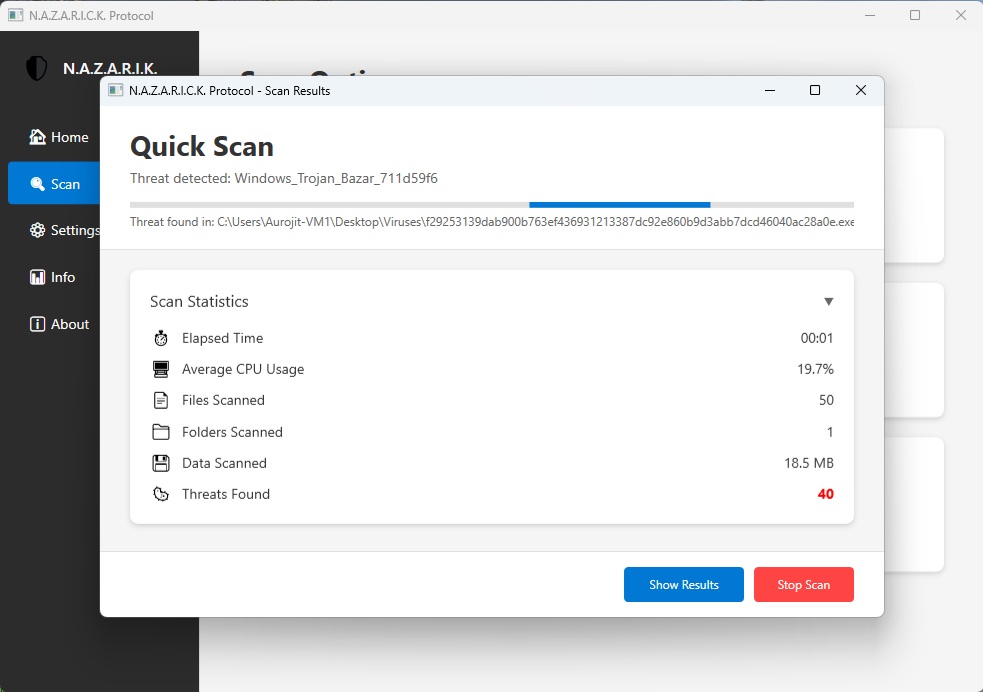
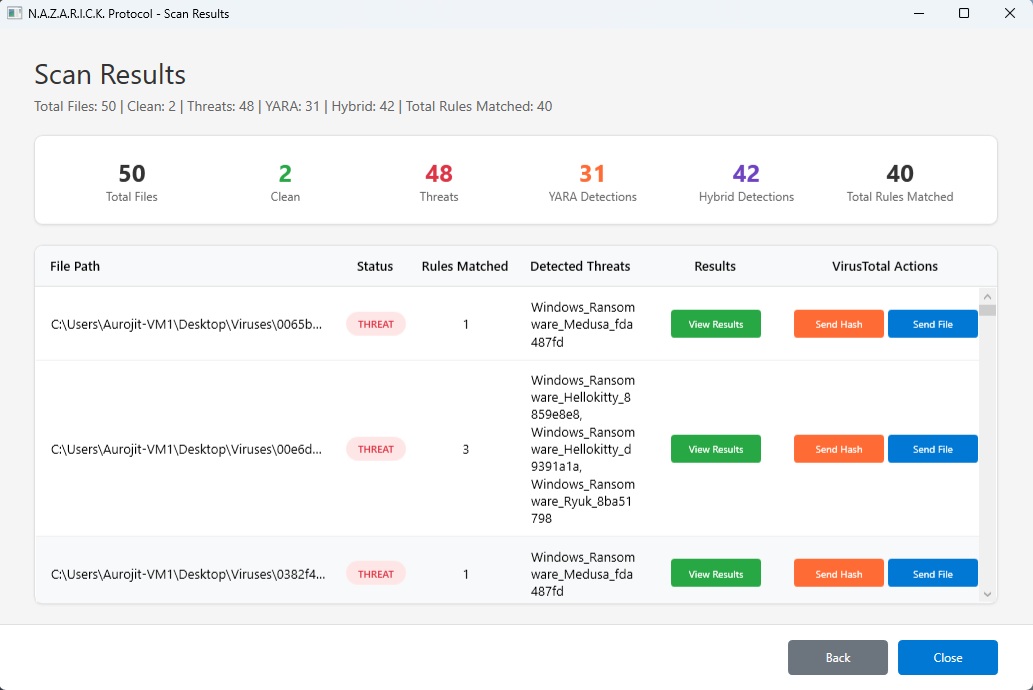
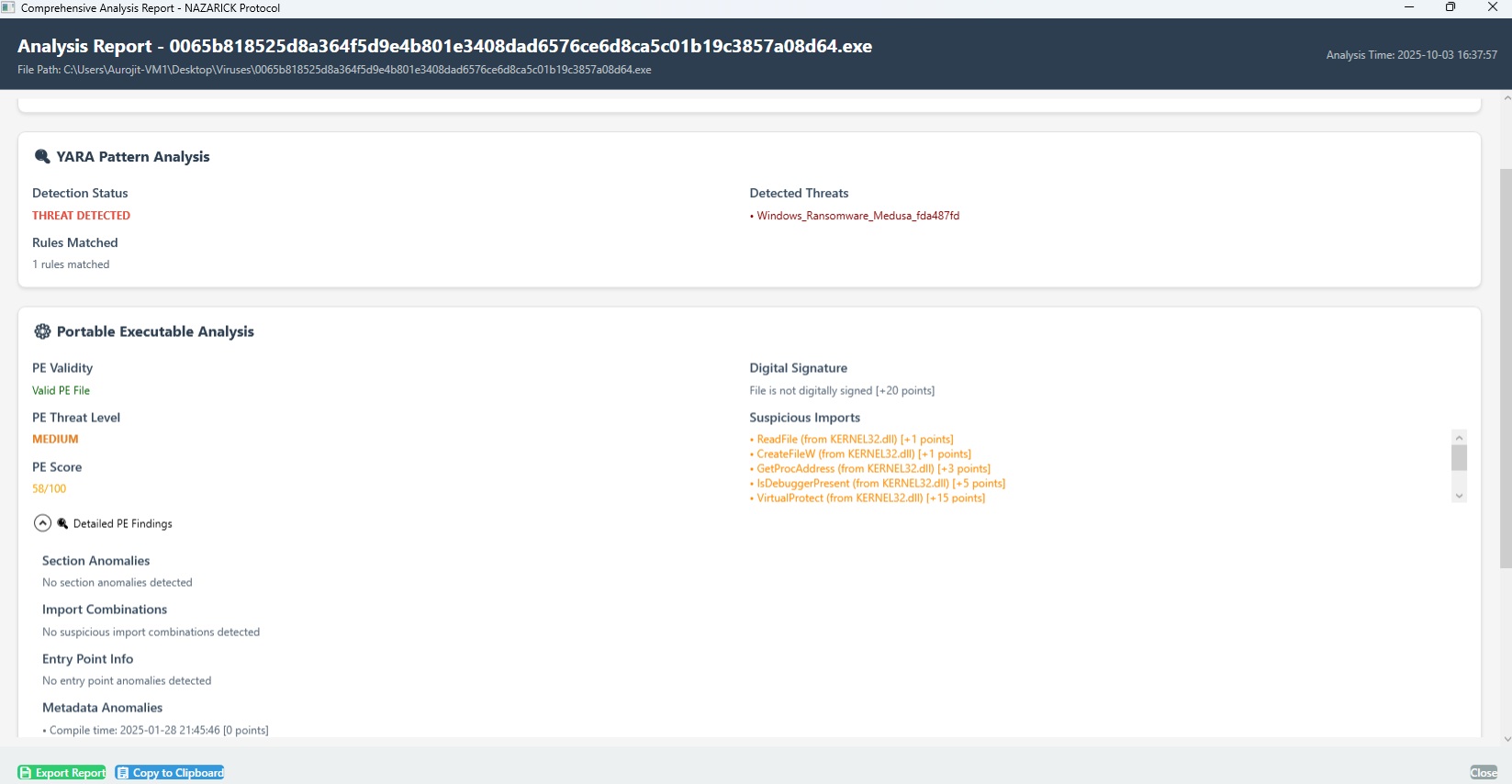
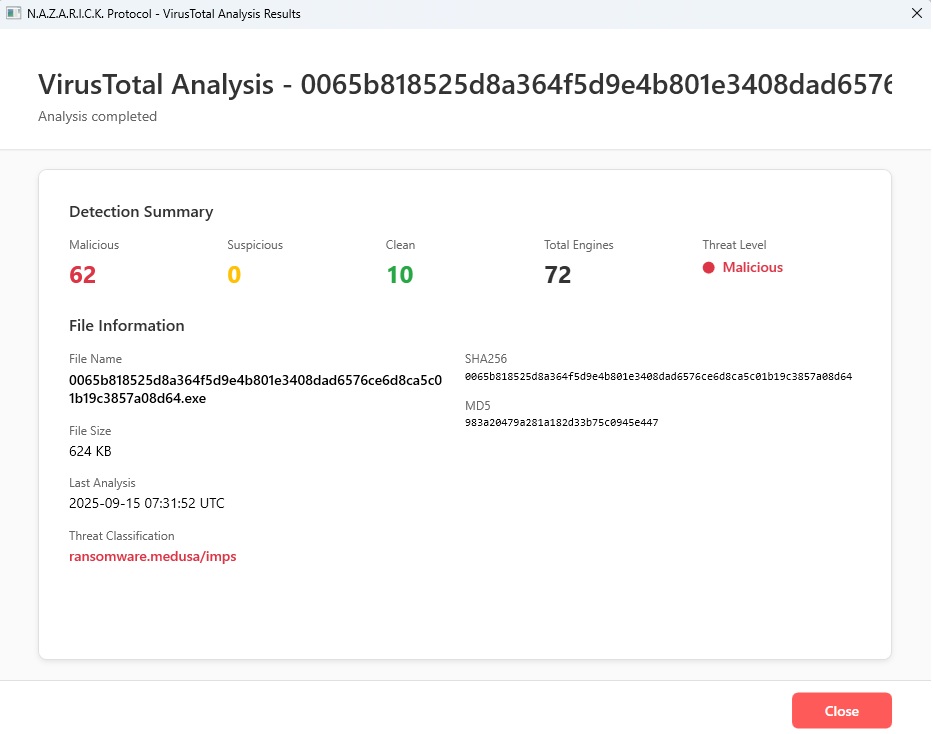
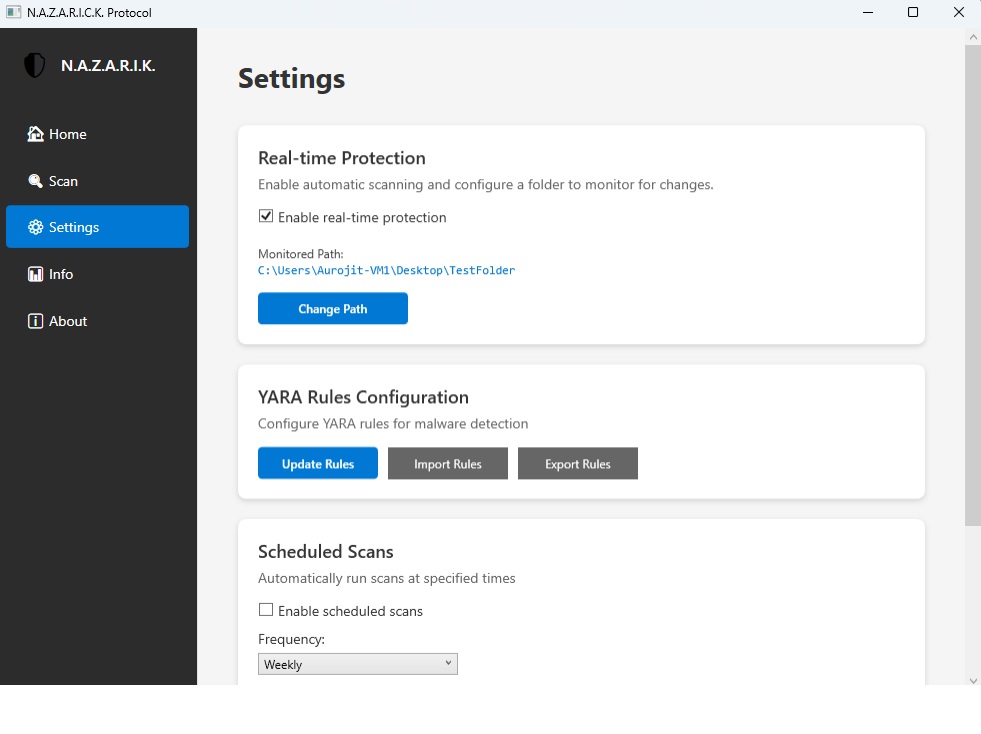
Main Dashboard
Clean, modern interface showing system status, recent scans, and quick access to all features
Who Uses NAZARICK?
Trusted by security professionals across multiple disciplines
"Quickly triage suspicious samples with multi-engine validation"
Use Cases:
- •Automated initial assessment
- •Import table red-flagging
- •Entropy-based packer detection
- •VirusTotal cross-reference
"Verify builds aren't flagged as false positives before release"
Use Cases:
- •Pre-release scanning
- •Digital signature validation
- •Clean build verification
- •Whitelist confirmation
"Learn PE structure and malware detection techniques hands-on"
Use Cases:
- •Educational rule examples
- •Detailed explanation logs
- •Open-source study
- •Safe analysis environment
"Monitor endpoint directories for anomalies and threats"
Use Cases:
- •Real-time folder watching
- •Batch scanning capabilities
- •Exportable compliance reports
- •Minimal resource overhead
Built for Speed and Accuracy
Performance metrics from real-world testing
| File Size | Scan Time | Memory |
|---|---|---|
| < 1 MB | ~100ms | ~50 MB |
| 1-10 MB | ~500ms | ~100 MB |
| 10-50 MB | ~2s | ~200 MB |
| 50-100 MB | ~5s | ~350 MB |
Test Corpus: 10,000+ samples
Comparison: Tested vs 70 AV engines
Download Project NAZARICK
Start analyzing files in minutes
Latest Stable Release
Released: June 10, 2025
License: MIT (Free & Open Source)
System Requirements
- Windows 10/11 (64-bit)
- .NET Framework 4.7.2+
- 4GB RAM (8GB recommended)
- 100MB free disk space
Installation Steps
- Download the installer
- Run setup wizard
- Launch NAZARICK
- Start scanning files
Need help? Check our Installation Guide
NAZARICK vs Traditional Antivirus
See how we compare to conventional solutions
| Feature | NAZARICK | Traditional AV |
|---|---|---|
| Static Analysis | Deep | Basic |
| Custom YARA Rules | Yes | No |
| Entropy Detection | Yes | No |
| VirusTotal Integration | Built-in | Manual |
| Real-time Monitoring | Folder-based | System-wide |
| False Positive Rate | ~2% | Variable |
| Resource Usage | Light | Medium-Heavy |
| Offline Capability | Full | Limited |
| Transparency | Open Source | Proprietary |
| Cost | Free | Varies |
Legend:
Frequently Asked Questions
Get answers to common questions
Documentation & Resources
Everything you need to get started and master NAZARICK
- •Installation steps
- •First scan tutorial
- •UI walkthrough
- •Feature explanations
- •Configuration options
- •Best practices
- •Rule syntax guide
- •Pattern examples
- •Testing rules
- •Command-line usage
- •Programmatic integration
- •Report formats
- •Common issues
- •Error codes
- •Performance tuning
- •Code guidelines
- •Submitting PRs
- •Rule contributions
Join the NAZARICK Community
Help us build better malware detection tools
NAZARICK is open source and thrives on community contributions.
Found an issue? Submit a bug report on GitHub
Have ideas for improvements? We're listening
Expand our detection library with new patterns
Submit pull requests for bug fixes or features
Help others by improving documentation
Join our Discord server and help other users
GitHub Statistics
Security & Privacy First
Your trust is our priority
- •All analysis performed locally
- •No telemetry or tracking
- •Optional VirusTotal submission
- •Open-source audit trail
- •Sandboxed analysis only
- •No automatic file execution
- •Read-only file access
- •Safe for production environments
- •MIT License (permissive)
- •Commercial use allowed
- •Attribution required
- •No warranty (use at your own risk)
- •Security vulnerabilities welcome
- •Private disclosure process
- •Hall of fame for researchers
- •Coordinated disclosure timeline